Multi Property
The Multi Property menu allows users to generate the following reports for one or more properties that the logged-in user can access. The generated report will display both individual and cumulative totals of the selected properties.
-
Deposits Balance (Revenue)
-
Folio Balances (Rooms)
-
Rev/Occ by Guest Type (Frontdesk)
-
Rev/Occ By Origin (Frontdesk)
-
Rev/Occ By Room Type (Frontdesk)
-
Rev/Occ By Segment1 (Frontdesk)
-
Rev/Occ By Segment2 (Frontdesk)
-
Rev/Occ By Tariff (Frontdesk)
These are existing reports that can be generated from respective modules in Versa; however, when generated from those modules, the reports display data pertaining only to the current (logged in) property. Also, when a user performs a search for these reports, the search results will include both menus.
Report Parameters
In addition to the existing fields in these reports, the Properties drop-down list, which enables users to select the preferred properties for report generation will be displayed.
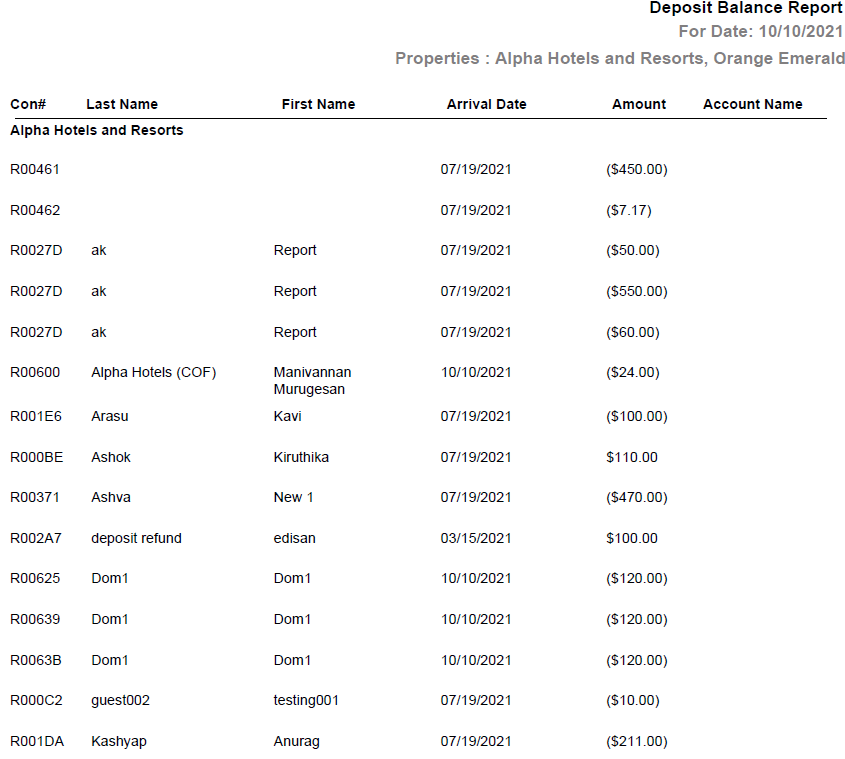
Sample Deposits Balance Report
Report Fields
In addition to the existing fields and columns in the reports, the total will be separately displayed for each property and a cumulative total for all selected properties will be displayed in the report.